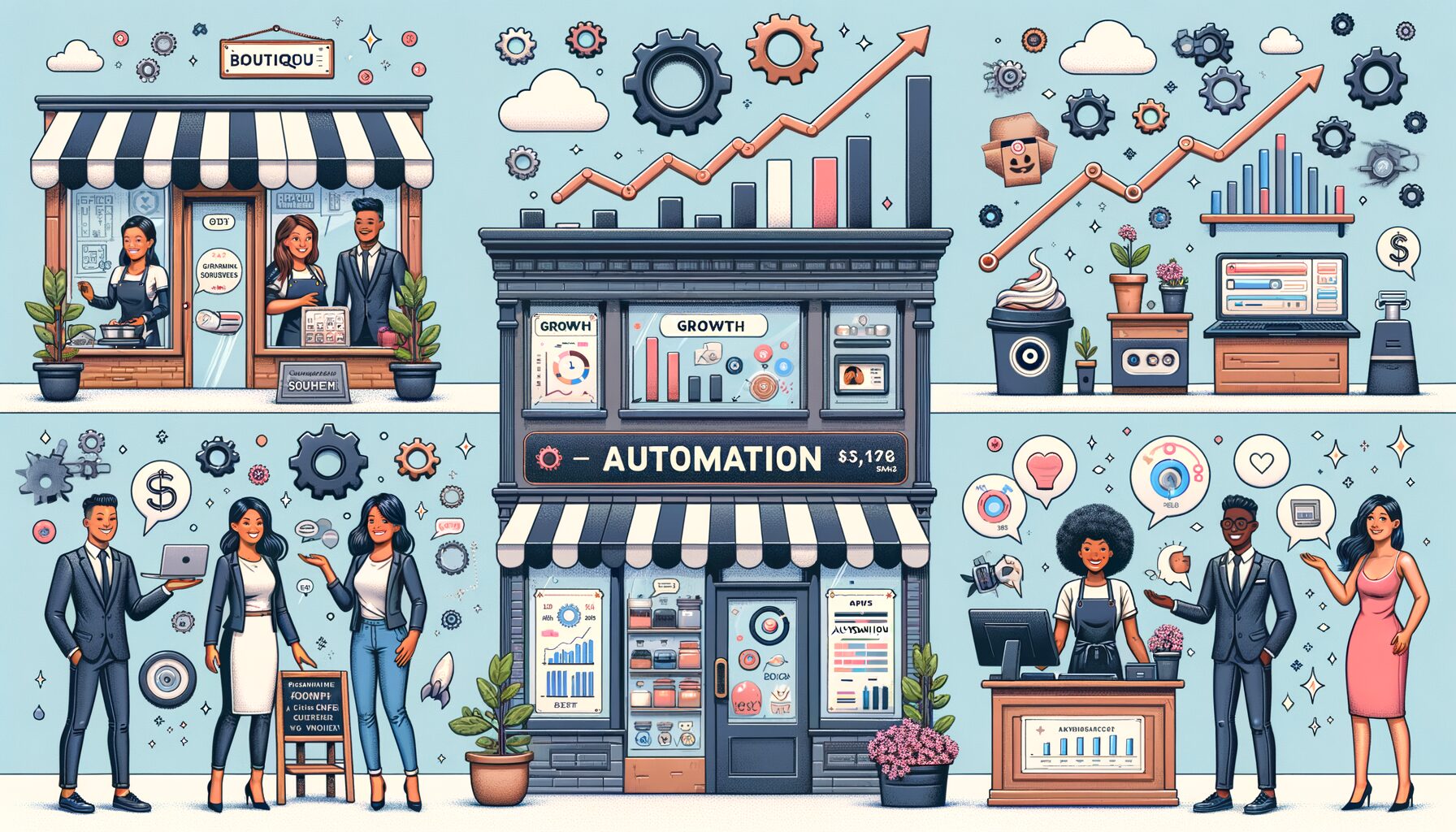
Small businesses everywhere share the same headache: too much to do, not enough time. Your team juggles leads, invoices, emails, support tickets, social posts, and spreadsheets—often manually. Enter automation software for small businesses, which turns into a growth multiplier. Hours each week can be reclaimed, errors get cut, responses speed up, and cleaner data fuels sharper decisions. The hook? You don’t need a big budget or a developer team to start. With the right picks and a clear plan, even a five-person company can set up workflows in days and see results within the first month.
Why Automation Is the Small Business Growth Lever Right Now
Automation isn’t just for enterprises anymore. McKinsey research shows roughly 60% of occupations include at least 30% of activities that could be automated—evidence that even small teams can win back real time and reduce costs by streamlining repetitive work. In Zapier’s State of Business Automation reports, most small businesses say automation boosts productivity and levels the playing field with larger competitors. Salesforce’s SMB Trends adds another data point: digitally mature small businesses grow faster and report stronger customer relationships. In practice, founders feel it every day—less copy-paste and fewer context switches means faster movement.
Consistency improves as well. Humans excel at creativity, empathy, and strategy; we’re less reliable at performing the same task perfectly 200 times a week. Rules get executed the same way, every time, when automations run the show. That translates into fewer missed leads, fewer billing errors, and quicker customer replies—outcomes that feed revenue and retention.
Quick wins usually live in repeatable workflows: lead capture and follow-up, email campaigns, invoicing and expense tracking, customer support triage, and data syncing between apps. Low risk, high impact—when executed well. What’s interesting, too, is how friendly modern tools have become. You can map triggers and actions with drag-and-drop builders, lean on templates, and use built-in AI for categorization, routing, or drafting messages.
Well, here it is: a snapshot of common small-business automations and the kinds of outcomes teams often report during the first 60–90 days. Ranges are conservative and based on vendor case studies and field observations; your mileage may vary depending on volume and process maturity.
| Business Process | Typical Time Saved/Week (5-person team) | Example Tools | Notable Impact |
|---|---|---|---|
| Lead capture & follow-up | 3–6 hours | HubSpot, Zoho CRM, Pipedrive | Faster response; higher conversion from lead to demo |
| Email marketing & segmentation | 2–5 hours | Mailchimp, Brevo (Sendinblue), ActiveCampaign | More targeted sends; improved open and click rates |
| Invoicing & expense capture | 2–4 hours | QuickBooks Online, Xero, Expensify | Fewer late payments; cleaner books |
| Support routing & FAQs | 3–7 hours | Zendesk, Freshdesk, Intercom | Lower first-response time; higher CSAT |
| Cross-app data sync | 2–6 hours | Zapier, Make | Fewer copy-paste errors; single source of truth |
Bottom line: automation helps you ship faster, sell smarter, and serve customers better. When every hour matters, that compounding effect can be the difference between flat growth and breakout momentum.
The Top Automation Software Categories and Standout Options
At the core for most small businesses sits Customer Relationship Management (CRM) and sales automation. Platforms like HubSpot and Zoho CRM centralize contacts, track pipelines, and trigger automated follow-ups when leads complete forms, open emails, or go cold. Pipedrive emphasizes pipeline visibility with strong automation rules for deal stages and activities. For teams that sell via email and calls, these systems ensure no lead slips through while tasks and reminders keep reps focused on high-value actions.
Marketing automation trims busywork across email, SMS, and social. Mailchimp shines for ease of use and templates. Brevo (formerly Sendinblue) offers a strong price-to-feature ratio, with email and SMS under one roof. ActiveCampaign blends automation with CRM-lite features and behavior-based journeys that react to what subscribers do, not just who they are. With any of them, you can build drip sequences, segment audiences, score engagement, and hand hot leads to your CRM automatically.
Workflow integration and no-code automation glue your stack together. Zapier is the de facto standard, with thousands of app connectors and a simple “if this, then that” builder. Make (formerly Integromat) appeals to power users with visual mapping and advanced logic. Data gets moved between apps, tickets are created from emails, spreadsheets update when invoices are paid, and alerts trigger when thresholds are hit—without writing code.
Finance and back-office automation help you get paid faster and close the books cleanly. QuickBooks Online and Xero handle invoice generation, payment reminders, recurring billing, and reconciliation. Expensify automatically reads receipts and syncs expenses to your ledger. For many small teams, turning on automated invoice reminders alone can reduce days sales outstanding and smooth cash flow.
Customer support benefits from timely, automated help. Zendesk and Freshdesk route tickets by topic or priority, surface suggested answers, and escalate when SLAs are at risk. Intercom blends chat, bots, and help centers to deflect common questions before they become tickets. By automating categorization and routing, first-response time falls and agents can tackle the tougher problems.
HR and operations automation lightens the admin load. Gusto streamlines payroll, onboarding, and basic HR workflows for US-based teams. BambooHR centralizes employee records and approvals. For project management with automation baked in, Asana and Monday.com trigger tasks, due-date reminders, and status updates when work moves stages. As a result, leaders spot bottlenecks sooner and teams stay aligned.
Then this: if you’re early in the journey, start with a strong CRM and a no-code integrator. As maturity grows, layer in marketing automation, finance tools, and support platforms that integrate cleanly. The key isn’t owning the most software—it’s orchestrating the right few tools so data flows and work happens with minimal manual effort.
How to Choose the Right Automation Stack (A Simple Framework)
Begin with outcomes, not features. List your top five recurring pains—late follow-ups, slow responses, messy spreadsheets, delayed invoices, or scattered data. For each, estimate weekly time lost and business impact (lost revenue, lower CSAT, cash delays). Rank by potential ROI. Now pick one workflow that is high-impact and low-risk to automate first; that focus reduces complexity and builds momentum.
Define a system of record for each data type. Your CRM should be the source of truth for contacts and deals, your accounting tool for financials, your help desk for tickets. Other tools should read from and write to these systems rather than becoming shadow databases. Doing so reduces duplication and reporting headaches.
Choose integration-first tools. Check native integrations and marketplace apps before you buy. If you depend on a specific connection (e.g., CRM-to-accounting), confirm it is robust, bidirectional where needed, and supports key fields. If native options are weak, verify that Zapier or Make can bridge the gap reliably. Thorough integration planning prevents rework later.
Prioritize usability and adoption. Fancy features are useless if your team avoids the tool. Request demos, trial the software with real data, and see how long it takes a non-technical teammate to build an automation. Clear UI, solid documentation, and strong templates are reliable indicators of successful adoption.
Consider total cost of ownership (TCO). Add up license fees, add-ons, implementation time, training, and any required contractor support. A cheaper plan that needs heavy maintenance can cost more than a slightly pricier tool that “just works.” Also verify usage limits—tasks, contacts, emails, or automations—so you don’t hit a wall as you grow.
Build with security in mind. Use role-based access, audit logs, and MFA. Store API keys securely and periodically review connected apps. If you handle sensitive data (health, finance, personal info), check compliance pages and data residency options. Good security habits reduce risk and protect customer trust. For guidance, explore NIST’s small business cybersecurity resources at nist.gov/itl/smallbusinesscyber.
Your 30–60–90 Day Automation Roadmap
Days 1–30: Audit and prioritize. Map your workflows from trigger to outcome. Identify manual steps, delays, and handoffs. Pick one or two quick wins—such as lead capture to CRM with auto-follow-up, or invoice reminders. Set clear KPIs (e.g., cut first-response time by 30%, recover 5 hours/week, reduce DSO by 5 days). Configure sandbox environments or test accounts. Build the first automation with a template, run sample data, and test edge cases. Keep it simple. Train team members with short, role-specific playbooks and record simple Loom videos so everyone can reference later.
Days 31–60: Pilot and measure. Turn on the automation for a subset of customers or one product line. Watch metrics weekly and gather feedback. Track errors, exceptions, or confusing steps. Tweak triggers, filters, and field mappings. Add guardrails such as approval steps for high-value invoices or deals. Document the process, including “break-glass” steps if something fails. Win hearts by showcasing early results to the team—time saved, faster replies, happier customers.
Days 61–90: Scale and standardize. Expand successful automations to the rest of your pipeline or customer base. Add a second automation in an adjacent area (e.g., support routing after lead follow-up). Create shared dashboards so leaders can see performance and bottlenecks. Codify naming conventions and folder structures for automations so new teammates can find and understand them. Schedule quarterly reviews to retire outdated rules and optimize steps as your business evolves.
Common pitfalls to avoid include automating a broken process (fix it first), skipping documentation, ignoring error handling, and rolling out too much at once. In projects I’ve supported, the best outcomes came from teams that started small, measured relentlessly, and invested a few hours in training. Within a quarter, manual busywork often drops by double digits, and that time gets redirected to selling, shipping, and serving customers.
Frequently Asked Questions
Q: What’s the minimum budget to start with automation software for small businesses?
A: You can start with free or low-cost tiers. Many CRMs, email platforms, and no-code integrators offer free plans with basic automations. Realistically, budgeting $50–$200/month covers a CRM starter plan, an email tool, and a no-code integrator for early-stage teams. As you grow, plan for $300–$700/month for more contacts, advanced features, and support.
Q: Will automations replace my team?
A: No. Repetitive, rules-based tasks—copying data, sending reminders, triaging simple requests—get handled by automations so your team can focus on human work: building relationships, solving complex problems, and creating value. Think of automation as a dependable assistant that frees people up to do their best work.
Q: How do I measure ROI?
A: Track time saved (hours/week), revenue impact (e.g., faster lead response improving conversion), cash-flow acceleration (e.g., fewer late invoices), and quality metrics (e.g., CSAT or NPS). Convert hours saved into dollars using a blended hourly rate. Compare benefits to total cost of ownership, including licenses and setup time. If one workflow saves 8 hours/week at $30/hour, that’s ~$960/month in value—often well above tool costs.
Q: What if our tools don’t integrate well?
A: Prioritize platforms with strong native integrations. When gaps exist, use Zapier or Make for custom workflows. If you have a critical, high-volume integration, consider a managed connector, vendor professional services, or a lightweight custom API script. Always pilot with test data and monitor error logs in the first few weeks.
Q: Is data security a concern with automation?
A: Yes, and it’s manageable. Use tools with role-based access, MFA, encryption at rest and in transit, and audit logs. Limit who can create or change automations. Review connected apps quarterly and remove stale keys. When in doubt, consult your vendors’ security and compliance pages and follow best practices like those from NIST’s small business program.
Conclusion
We began with the core problem every small business feels: too much manual work strangling growth. The solution is practical and within reach—use automation software for small businesses to offload repetitive tasks, sync data across systems, and speed up how you sell and support. The most impactful areas repeat across industries: CRM-driven follow-up, marketing journeys, invoicing and expense capture, support routing, and cross-app integrations. With the right picks—such as HubSpot or Zoho for CRM, Mailchimp or ActiveCampaign for marketing, QuickBooks or Xero for finance, Zendesk or Freshdesk for support, and Zapier or Make as your glue—you can set up powerful workflows without code.
Your next step is simple. Pick one high-impact, low-risk workflow you run every week. Map it, choose the best-fit tools you already use, and build a basic automation using a template. Pilot it for 30 days with clear goals: hours saved, response-time cuts, or faster cash collection. Share early wins with your team, document what works, and standardize naming and error handling. Then scale to the next adjacent process. Within 90 days, you’ll likely see measurable time savings and better customer outcomes—and you’ll have the confidence to automate more.
Small businesses win by moving fast and staying close to customers. Automation doesn’t replace your human edge; it amplifies it. Start today with one workflow, prove the ROI, and let that momentum compound across your operations. The tools are ready, the learning curve is gentler than ever, and the payoff arrives faster than you think. Which workflow will you automate first this week?
Helpful links and resources:
– McKinsey on automation potential: mckinsey.com
– Zapier State of Business Automation: zapier.com/blog/automation-statistics
– Salesforce Small & Medium Business Trends: salesforce.com
– NIST Small Business Cybersecurity: nist.gov
– Tool directories and reviews: G2 and Capterra
Sources:
– McKinsey Global Institute, “What the future of work will mean for jobs, skills, and wages.”
– Zapier, “Automation Statistics and Trends.”
– Salesforce, “Small & Medium Business Trends Report.”